

Description
EVP Wrist Recorder 3: keep your hands free
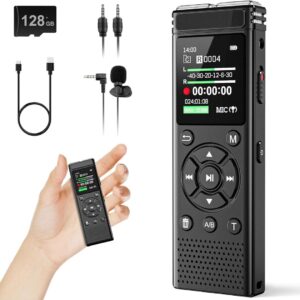
The GhostStop EVP Wrist Recorder 3 puts audio recording on your wrist, leaving you free to carry a light, take notes or operate a camera. A sliding switch starts recording, and the color display lets you check the recorder’s status.
Is a wrist recorder right for your kit?
Choose this style when carrying another device is the part of recording you find awkward. Before a first investigation, make a short test clip while standing still, walking and reaching for your other equipment. Listen back so you know what those movements sound like.
A wearable recorder still needs careful use. Keep sleeves and jewelry away from the microphone, and say when you cough, brush against something or change rooms. Those small notes can save a lot of guessing during playback.
Storage and playback
It records WAV files to 8GB of built-in memory and transfers them by USB to Windows or Mac. Battery life and storage duration vary with recording quality; see the product attributes for the published ranges.
Before your first session
Charge the recorder, check the date and time, and confirm that a test recording saves correctly. Start recording without headphones connected: GhostStop’s instructions say headphones connected at startup put the device into playback mode. Use the included earbuds when reviewing a saved file.
Give every recording some context
Keep the original file and work from a copy. Note who was nearby and what else was running in the room. Listen to the surrounding minute rather than repeating only one short sound. An unexplained recording deserves another check; it does not by itself establish a paranormal cause.
Affiliate disclosure: HauntGears may earn a commission from purchases through this link, at no additional cost to you.
Check current price at GhostStop
Discover more from Haunt Gears
Subscribe to get the latest posts sent to your email.

Reviews
There are no reviews yet.