
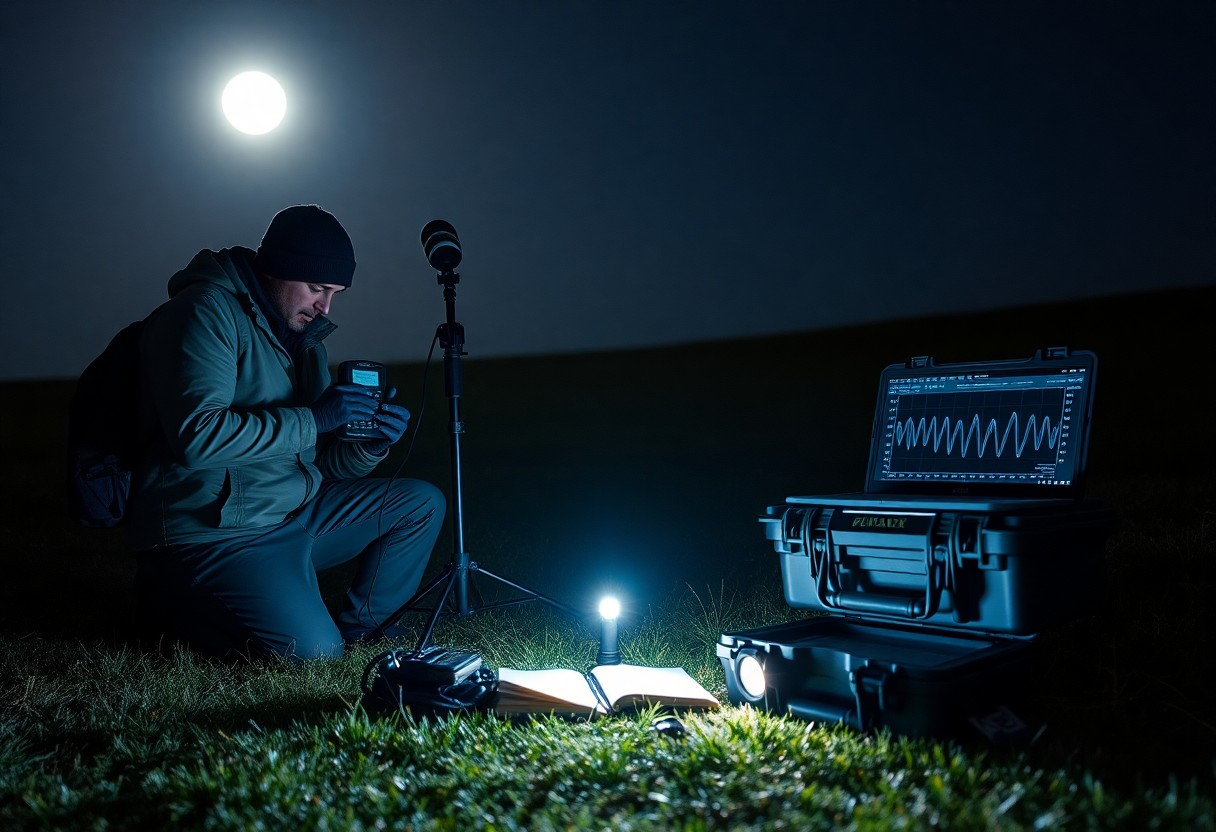
EVP sessions require precise setup: you must select secure, well-lit sites to avoid hazards, employ calibrated gear for clear audio capture, brief your team on silence and safety, log timestamps, and check batteries to prevent equipment failure.
Key Takeaways:
- Prepare gear and test settings before arrival: use a high-quality recorder with external mic, record uncompressed WAV, bring spare batteries and media, and capture a control baseline of ambient noise and location specifics.
- Establish a strict field protocol: obtain consent, minimize and document external noise sources, use verbal time stamps/slates, ask non-leading questions, and allow long silence windows for passive capture.
- Document and preserve evidence for analysis: label files with date/time/location and equipment settings, keep raw files unchanged, generate spectrograms, and have independent reviewers assess anomalous clips.
Essential Equipment for High-Fidelity Capture
You should prioritize gear that preserves signal integrity and minimizes noise.
- High-resolution recorders
- Directional microphones
This keeps captured EVP as clear as possible.
Selecting Professional Grade Digital Audio Recorders
Select recorders with clean preamps, 24-bit/96kHz capability and reliable storage.
- Low-noise preamps
- High sample rate
This ensures your files retain usable forensic detail.
Factors in Choosing External Microphones and Wind Protection
Consider microphones that reject off-axis sound and windshields that block gusts.
- Shotgun mic
- Dead cat/windscreen
This reduces false positives from environmental noise.
Choose capsules and mounts rated for weather, and prioritize connector quality and battery life.
- Polar pattern
- Rugged connectors
This protects your signal and prevents data loss.

Selecting and Preparing the Field Site
Choose a quiet, accessible spot away from power lines, busy roads and cell towers; consult How To Conduct An EVP Session & Capture High Quality … for setup tips, and test for RF interference before you record.
Environmental Factors Influencing Audio Clarity
Wind, temperature shifts and ambient traffic directly affect EVP capture; you must monitor conditions and adapt mic placement to reduce noise. Knowing how wind, temperature, and traffic alter recordings helps you choose optimal times.
- Wind causes mic noise
- Temperature affects equipment performance
- Traffic introduces intermittent noise
Tips for Mitigating Contamination from Natural and Man-made Sources
Place gear on isolated, elevated surfaces and use windscreens to cut interference; secure cables and avoid LEDs or devices that emit RF. Knowing how to shield microphones from wind and avoid vehicle paths reduces false positives.
- Windscreens reduce breath and gust noise
- RF shielding limits electronic interference
- Cable management prevents handling noise
Use natural barriers, schedule sessions during low human activity, and power off nearby nonvital electronics to minimize contamination. Knowing to log environmental readings, timestamp sessions and perform control recordings ensures you can filter artifacts later.
- Natural barriers like trees block wind
- Session timing avoids peak noise
- Control recordings capture baseline noise

Effective Questioning and Interaction Strategies
Keep your questions short and direct to minimize noise and encourage clearer EVPs; label each take and log context. Avoid leading phrasing and use simple, neutral prompts to improve capture consistency and reduce misinterpretation.
How-To Guide for Structuring Clear and Concise Inquiries
Structure your questions into single-concept lines, asking one topic per take and avoiding yes/no traps unless testing a reply; you should record the exact wording and use consistent phrasing for reliable comparisons across sessions.
Managing Intervals to Allow for Potential Response Capture
Pause between prompts to let your recorder capture delayed responses; you should set a minimum of 10-15 seconds after each question and note any environmental sounds or interruptions.
Monitor background noise and session flow while you wait; you should vary intervals slightly when a response seems likely, but avoid too-short intervals that mask replies or overly long waits that invite contamination. Aim for consistent timing, log each pause, and review recordings promptly to refine interval lengths for subsequent takes.
Executing the Field Session
Execute the field session by confirming your gear, permits, and team roles before powering devices. Keep chain of custody, avoid contamination, and enforce safety distance. Capture clear reference tones and timestamps to preserve evidence quality.
Step-by-Step Session Workflow and Management
Follow a timed checklist: pre-check, baseline ambient recording, target prompts, and controlled shutdown; assign roles so you maintain evidence integrity and minimize interference.
Session Workflow
| Phase | Action |
|---|---|
| Pre-Session | Gear, permits, batteries, and operator assignments |
| Setup | Calibrate, capture baseline noise, place reference markers |
| Recording | Issue prompts, record reference tone, log timestamps |
| Post-Session | Secure media, create backups, note anomalies and chain actions |
Real-Time Logging and Monitoring Techniques
Monitor signal levels, battery metrics, and legal boundaries in real time; flag anomalies and annotate files with event codes so you preserve admissible evidence and avoid data loss.
Log everything live: timestamps, battery readings, GPS, and operator notes linked to file names so you can reconstruct events. Use redundant recorders and remote streaming when possible, and watch for battery drain or unauthorized access that threaten evidence.
Post-Session Analysis and Verification
After the session, you log metadata, timestamps, and immediate impressions, then perform controlled reviews and note verification steps; consult How assessments with EVP help level the talent playing field for assessment context and standards.
Factors for Classifying and Validating EVP Data
Classify clips by signal quality, speaker match, and contextual relevance, assigning confidence scores and clear notes. Knowing you must preserve originals, maintain a documented audit trail, and flag false positives for review.
- Signal-to-noise
- Speaker consistency
- Contextual cues
- Confidence scoring
Tips for Using Audio Editing Software for Professional Review
Trim artifacts, apply conservative EQ and de-noise, and use markers to isolate segments for experts. Assume that you always keep the raw file unchanged and label every edited version with clear notes.
- Noise reduction
- Equalization
- Timecode markers
- File versioning
Compare multiple edits using spectral views and phase analysis, annotate ambiguous passages, and export lossless copies for peer review. Assume that you archive original recordings and export high-resolution backups before any processing to protect chain-of-custody and support independent verification.
- Spectral analysis
- Phase coherence
- Lossless export
- Audit trail
Conclusion
So you prepare equipment, confirm legal and ethical consent, secure a quiet site, set audio baselines, control lighting and motion, use high-quality recorders and mics, document conditions and timestamps, interview witnesses calmly, review recordings promptly, and keep logs for objective analysis.
FAQ
Q: What equipment and software should I bring for a professional EVP session in the field?
A: Pack at least two high-quality digital recorders that capture uncompressed WAV at 24-bit and 48-96 kHz, using one as an independent backup. Bring multiple microphone types: a low-noise omnidirectional mic for ambient capture and a directional or shotgun mic to focus on specific sources; include windscreens and shock mounts. Carry spare batteries, extra SD cards, a portable power bank, a field laptop with an external drive for immediate backups, and a USB card reader. Use closed-back, flat-response headphones for live monitoring and a simple sync device or clap for time alignment. Install analysis software such as Audacity or Adobe Audition for waveform and spectral view and Izotope RX or similar for careful noise reduction when needed. Pack non-audio tools: an EMF meter, thermometer/hygrometer, flashlight, tripod, field logbook, consent forms, site maps, and a basic first aid kit. Set recorders to WAV, disable automatic gain control, perform a noise-floor test, and document sample rate, bit depth, and gain settings before each take.
Q: What procedural steps and protocols ensure reliable, repeatable EVP recordings?
A: Establish a written protocol and briefing before arriving on site that covers objectives, roles, safety, and legal permissions. Obtain explicit permission from property owners or authorities and perform a site hazard assessment. Record a multi-minute baseline ambient track at the chosen locations to capture background noise signatures. Run simultaneous recordings with at least two independently powered devices and different microphone setups to enable cross-verification. Use a short audible sync signal at the start of each take for later alignment and label files with date, time, device, mic type, and location. Follow a consistent questioning script that uses short, open-ended prompts and pauses for 10-30 seconds after each question to allow for responses. Perform control tests such as equipment-only recordings, radio scans, and ambient noise samples to identify non-paranormal sources. Minimize contamination by turning off cellular radios, asking the team to remain silent during takes, and avoiding handling or moving equipment while recording. Back up raw files immediately to at least one separate device and keep originals unprocessed in archival storage with clear file naming and metadata.
Q: How should I analyze, verify, and ethically present EVP results?
A: Analyze original recordings first using high-quality headphones and a waveform/spectral editor to identify transient events distinct from ambient noise. Isolate candidate clips and compare them to baseline and control recordings as well as any environmental or radio-frequency scans. Conduct blind reviews with multiple independent listeners who do not know the session details, and record each reviewer’s transcription and confidence level. Document every candidate EVP with timestamp, file name, device, sample rate, bit depth, and a short audit trail of any processing steps applied. Preserve both raw and processed versions and include checksums or other integrity markers to prove authenticity. Present findings with clear methodology, alternative explanations considered, and access to originals when possible; avoid definitive claims when ambiguity remains. Obtain written consent from property owners and any identifiable participants before publishing audio or location details, and comply with local laws and site rules to maintain legal and ethical standards.
Leave a Reply